Affiliate Ressources ✨
Contact our telegram for any questions → @IskandreA
For email swipes and creatives, click here
Payout options
On our marketplace, payouts are sent weekly, every Monday.
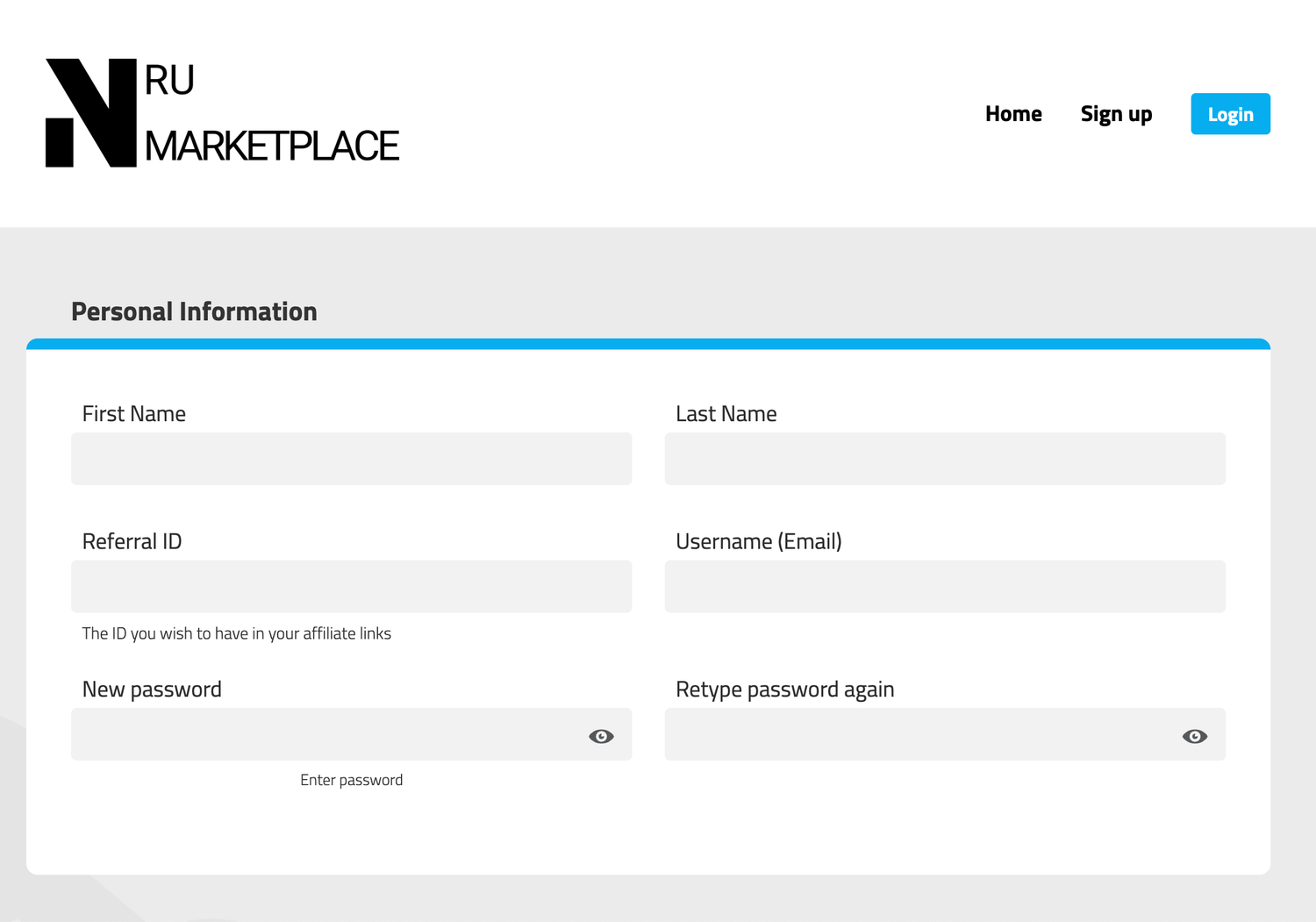
During Signup, you have the options for ACH, Wire, Internationnal Wire and SWIFT.
"If you want to receive your payout faster, message us on Telegram and we'll send it right away. This flexibility helps our affiliates scale and grow."
Get your affiliate link
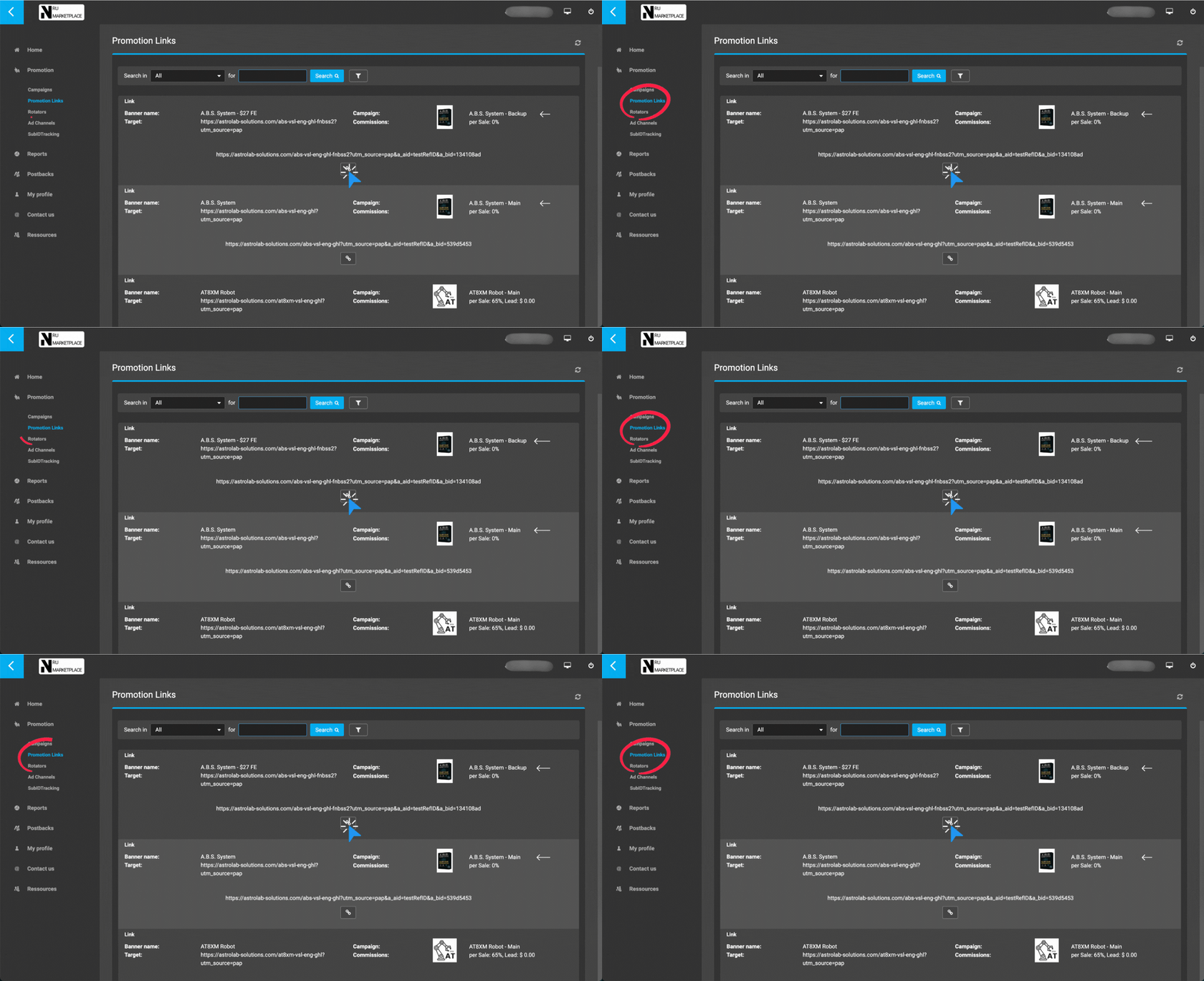
There are 2 Offer Categories:
Main = Private payment processing (with our own MIDs)
Using our MIDs means you get a higher EPC, better payment acceptance rate and better overall performance. However this comes with the potential (but low) risk of technical issues or bans from the MIDs. In the event of a ban, you would be notified right away to avoid any loss.
Backup = "Shared" payment processing (Merchant of record)
Much safer and stable performance. But lower EPC because the Merchant of record we currently use doesn't support One-Click-Upsell. However we found ways to compensate this, so the performance is still nice.
Both offer categories come with the same payout speed and payout options.
View your performance
All your commissions are visible HERE
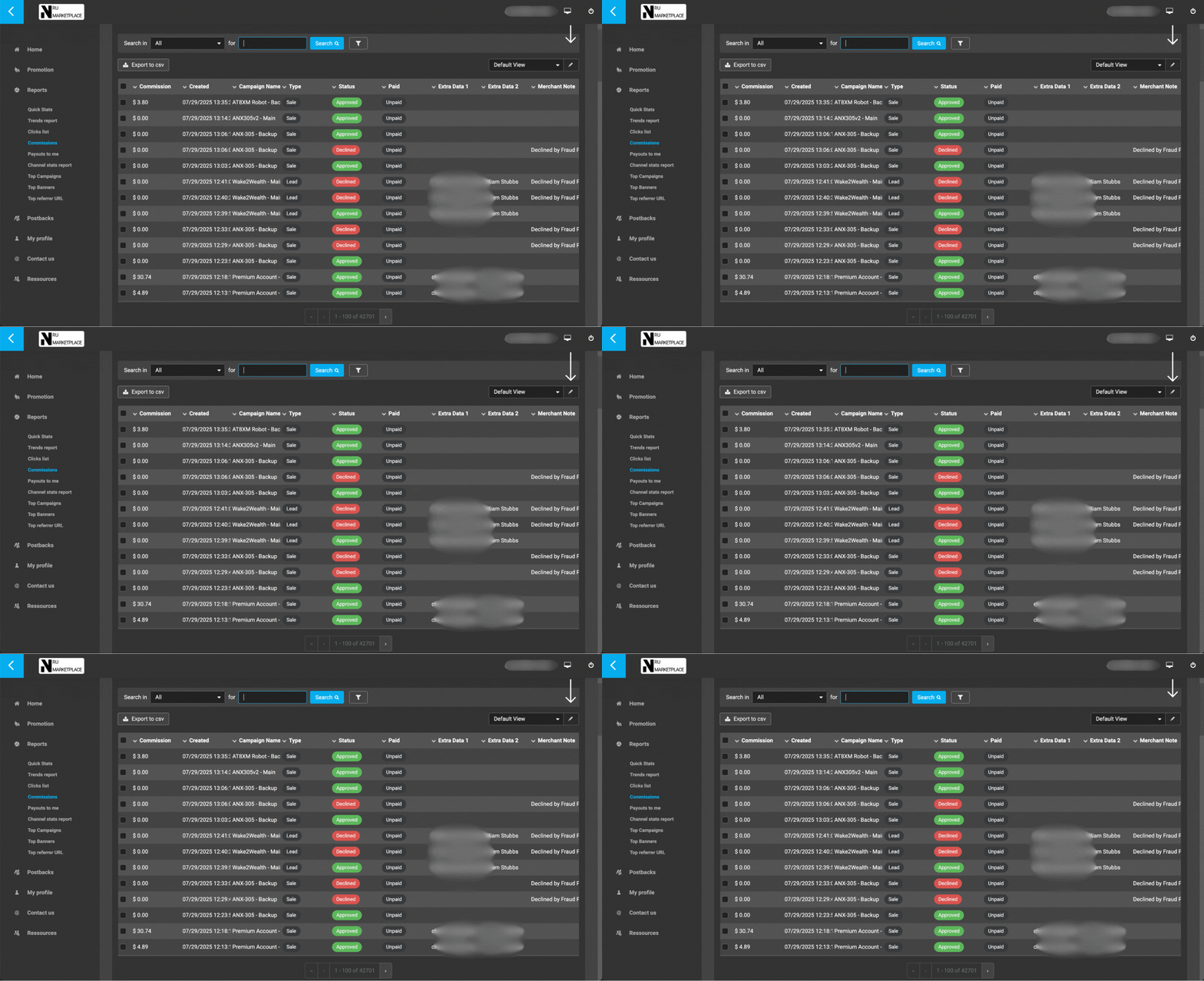
Use the filter feature to customise your dashboard view with every information available
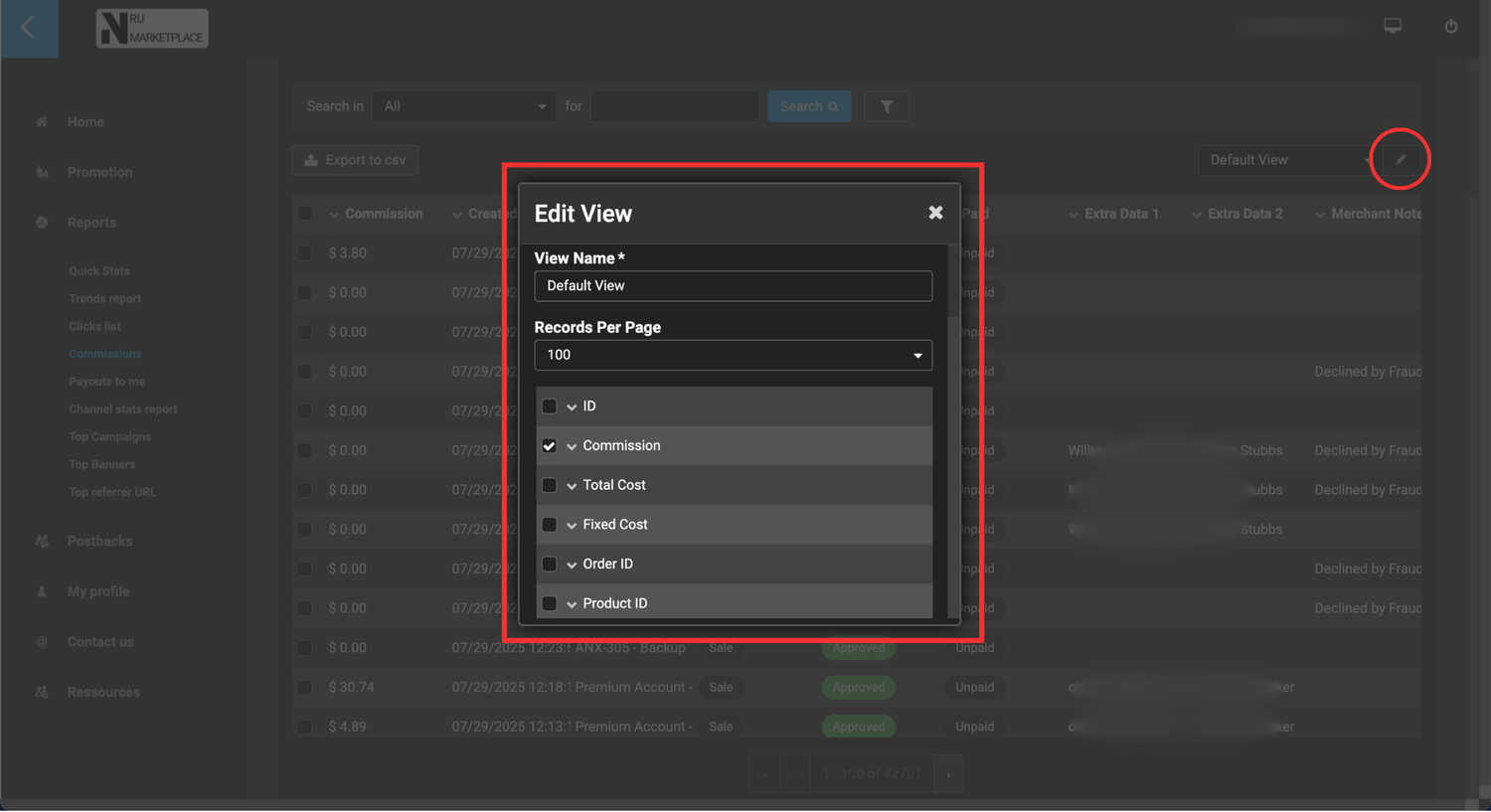
-> Commission: your earnings on the sale.
-> Total Cost: Total amount paid by the customer.
-> Fixed Cost: Taxes, Fees, Payment processing etc..
-> Banner: Name of the promotion link you used to promote the product.
-> Campaign Name: Basically the name of the funnel which contains the product purchased
-> IP: IP address of the customer (In some cases, it displays the default IP of our MIDs servers instead)
-> First Click Data 1: Custom data setup by the affiliate for advanced tracking
-> First Click Data 2: Custom data setup by the affiliate for advanced tracking
Only for "Main" offers:
-> Extra Data 1: email of the customer
-> Extra Data 2: full name of the customer
-> Merchant Note: This field can contain custom notes from the merchant (us)
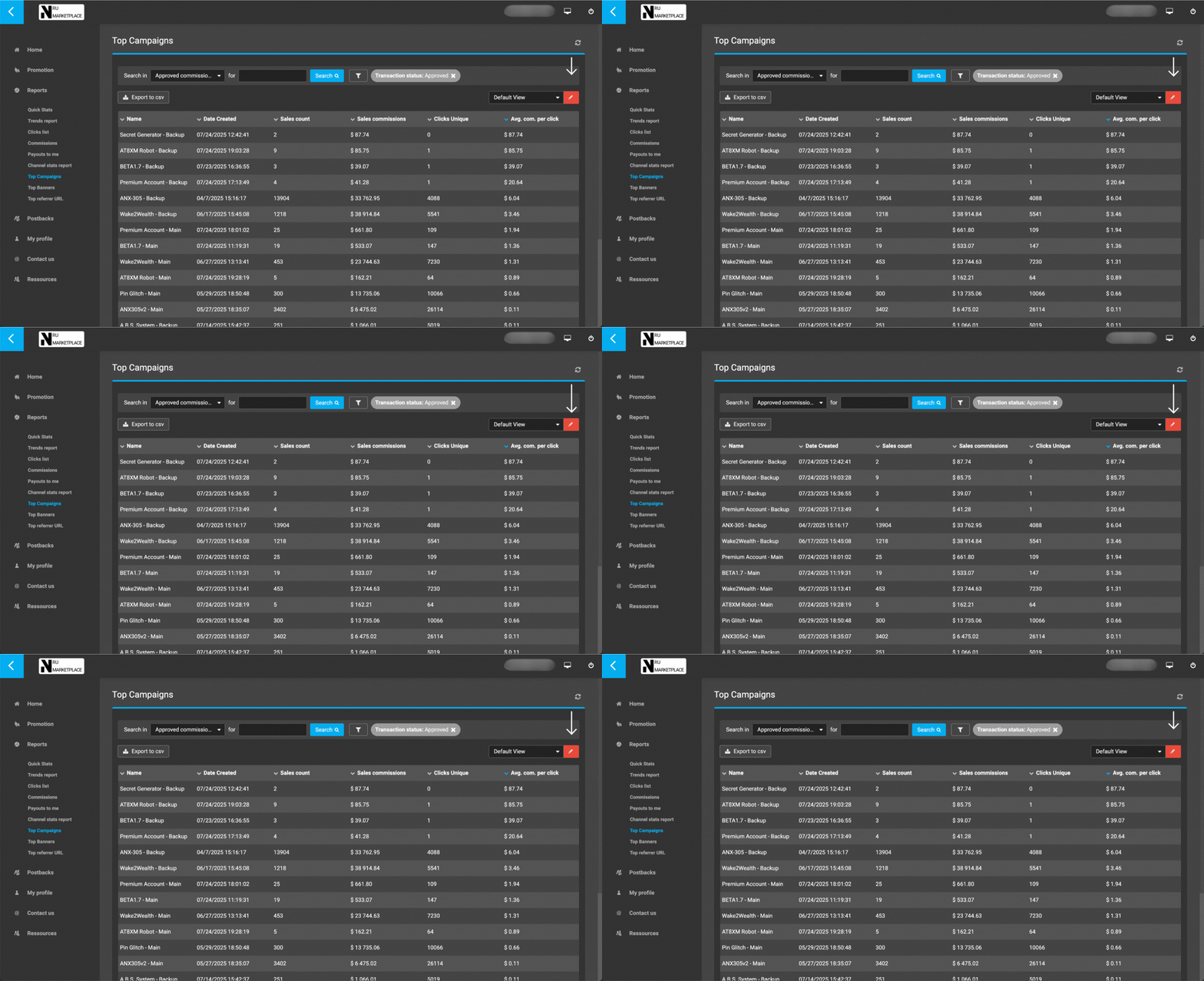
HERE you can see which offers performs the best.
The filter feature is available here too.
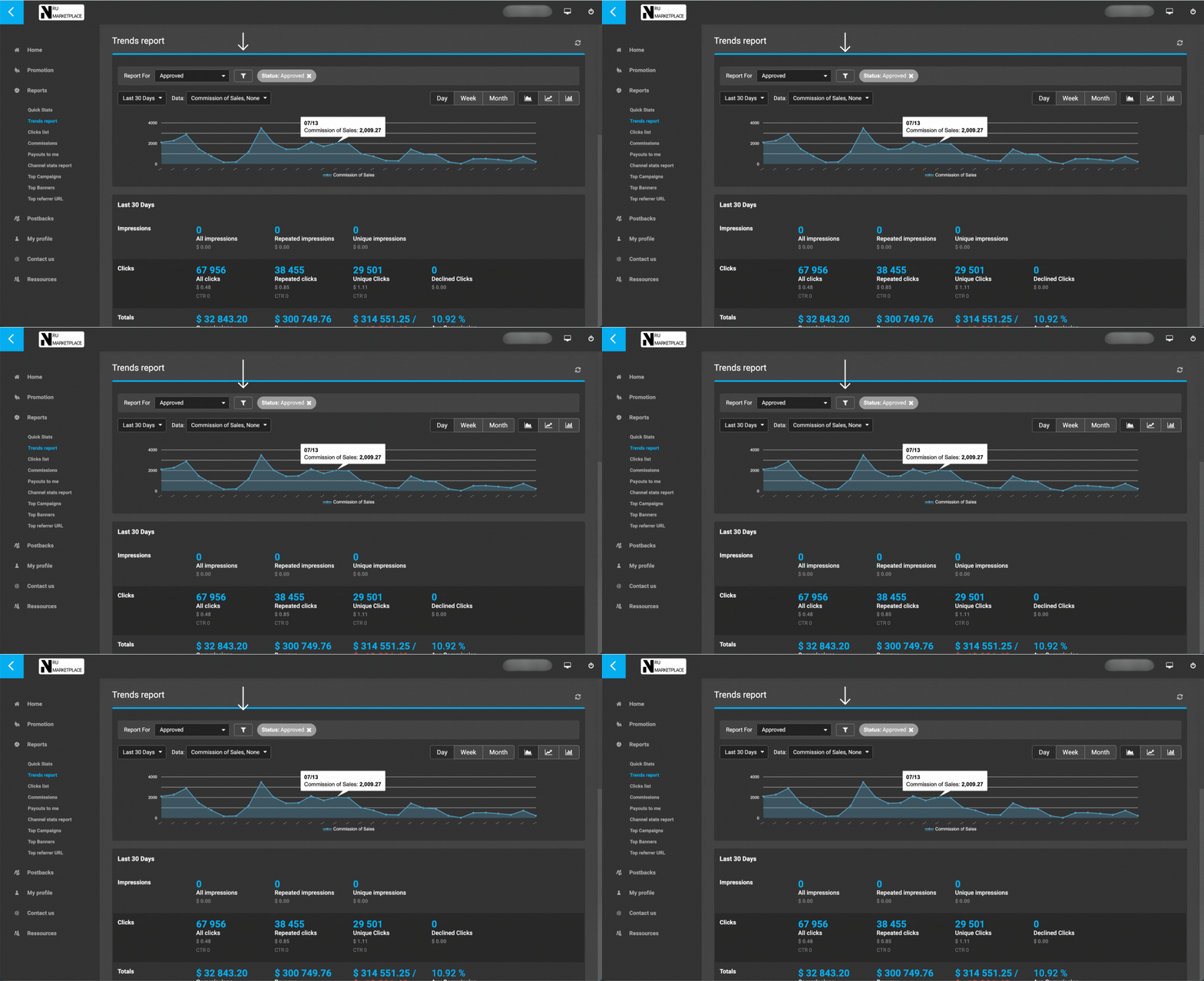
HERE you can see your daily earnings
The filter feature is available here too.
Advanced Tracking (subIDs)
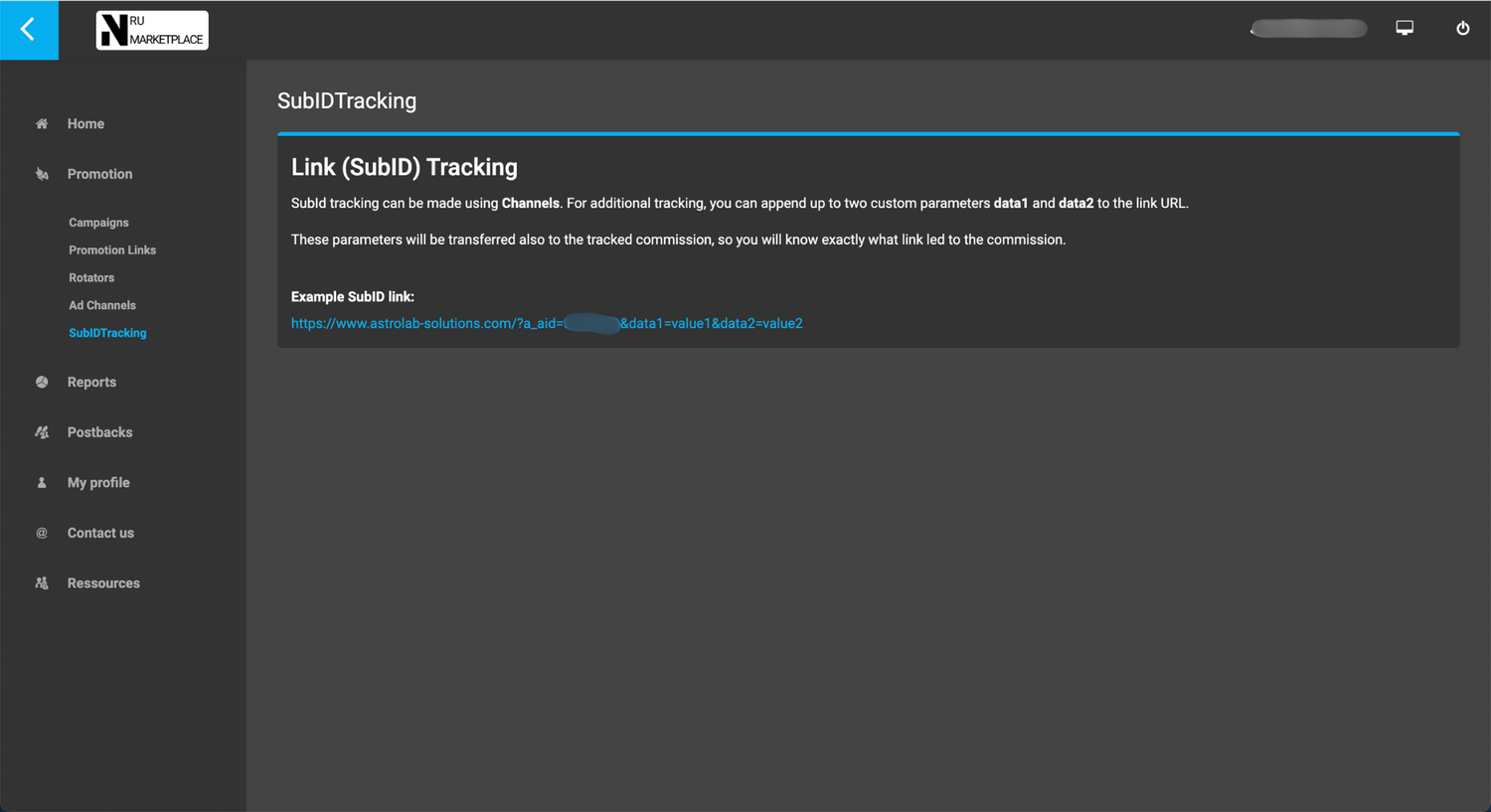
You have the option to add 2 subIDs in your promotion link. This is usefull if you want advanced tracking of your different lists or traffic sources.
The 2 subIDs code are data1 and data2.
For example:
https://www.astrolab-solutions.com/?a_aid=YOURID&data1={value1}&data2={value2}
You will be able to see them in "First Click Data 1" and "First Click Data 2" in your commission dashboard.
Advanced Tracking (Channels)
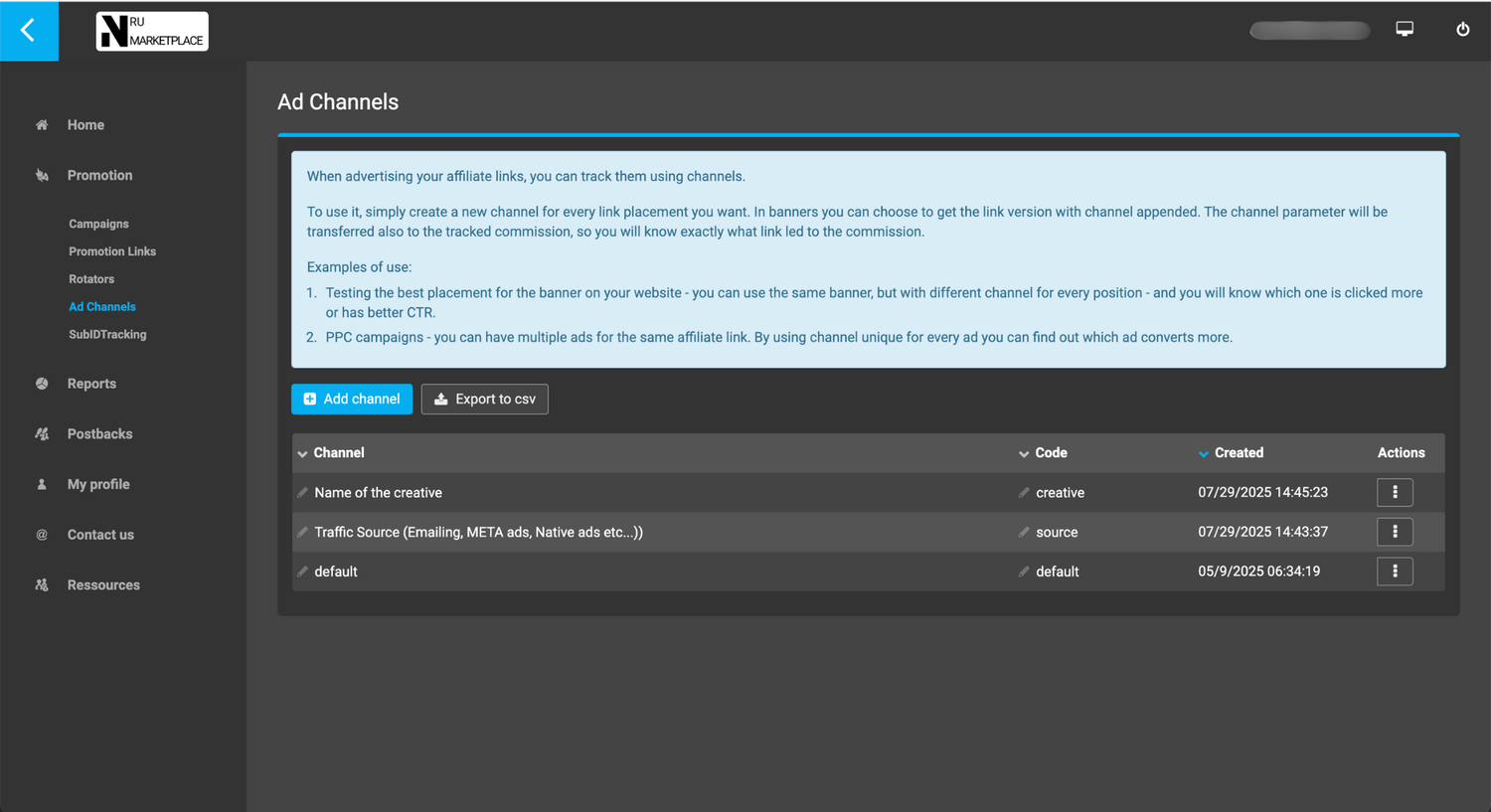
You can also use "Ad Channels" in your promotion link URL parameters.
Once you create your Ad Channel, add it in your promotion URL.
For example:
https://www.astrolab-solutions.com/?a_aid=YOURID&source={yourtrafficsource}&creative={creativename}
Use the rotator
⚠️ rotators are not working anymore. Don't use them
Perfect if you have a big email lists with long email sequences and you are tired of hunting for new offers to promote all the time. LINK HERE
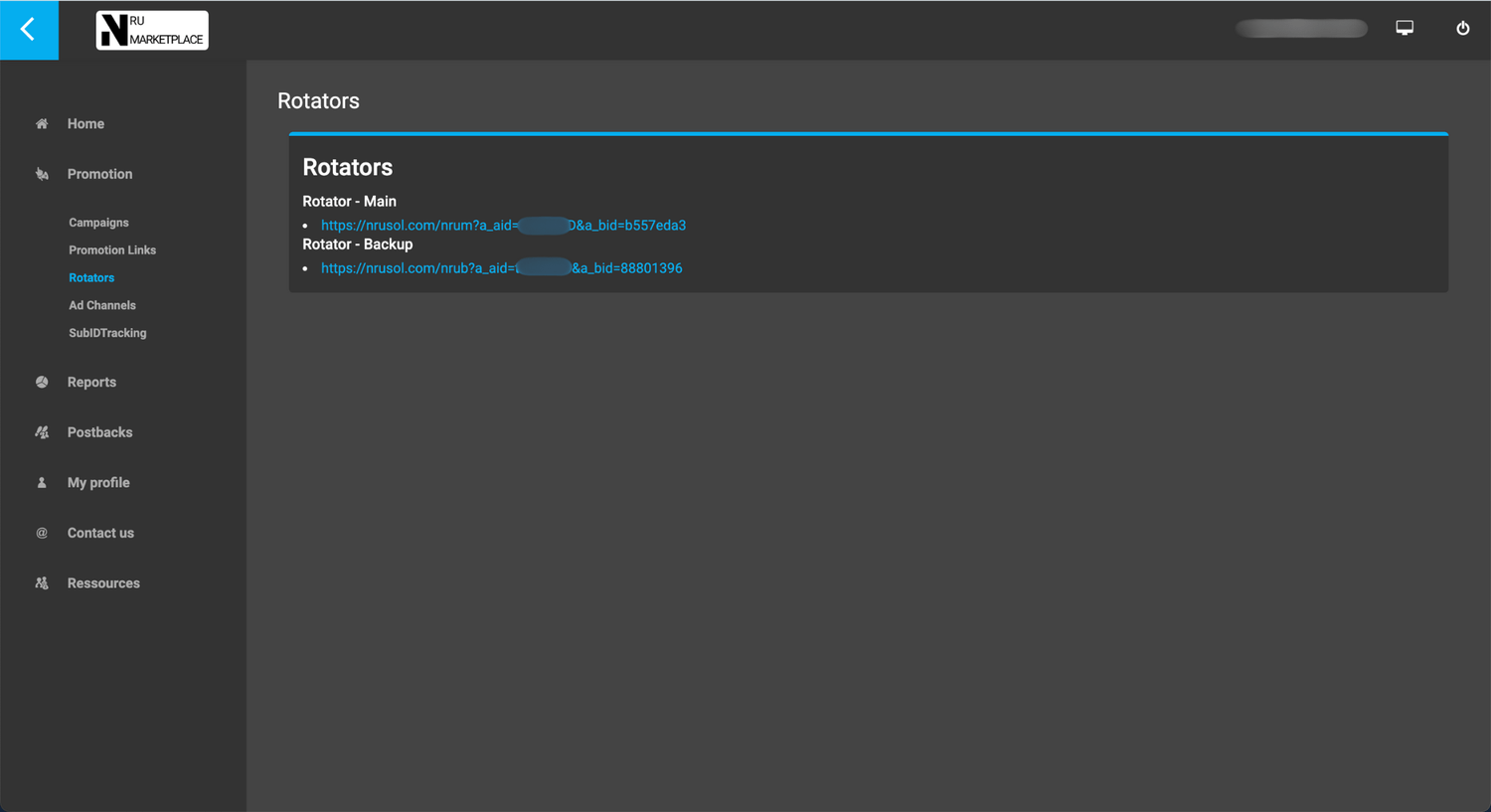
The Rotator allow you to promote a bunch of high performing offers just with one single URL.
Just copy the rotator URL from "rotator section” and paste it in your emails. And that's it.
Our Rotator automaticaly shows new offers to repeat clicks. This means that your leads will always see soemthing new when they click on the link.
We update the Rotator frequently with new high performing offers so you can maintain a nice performance over the long term.
Receive Postbacks
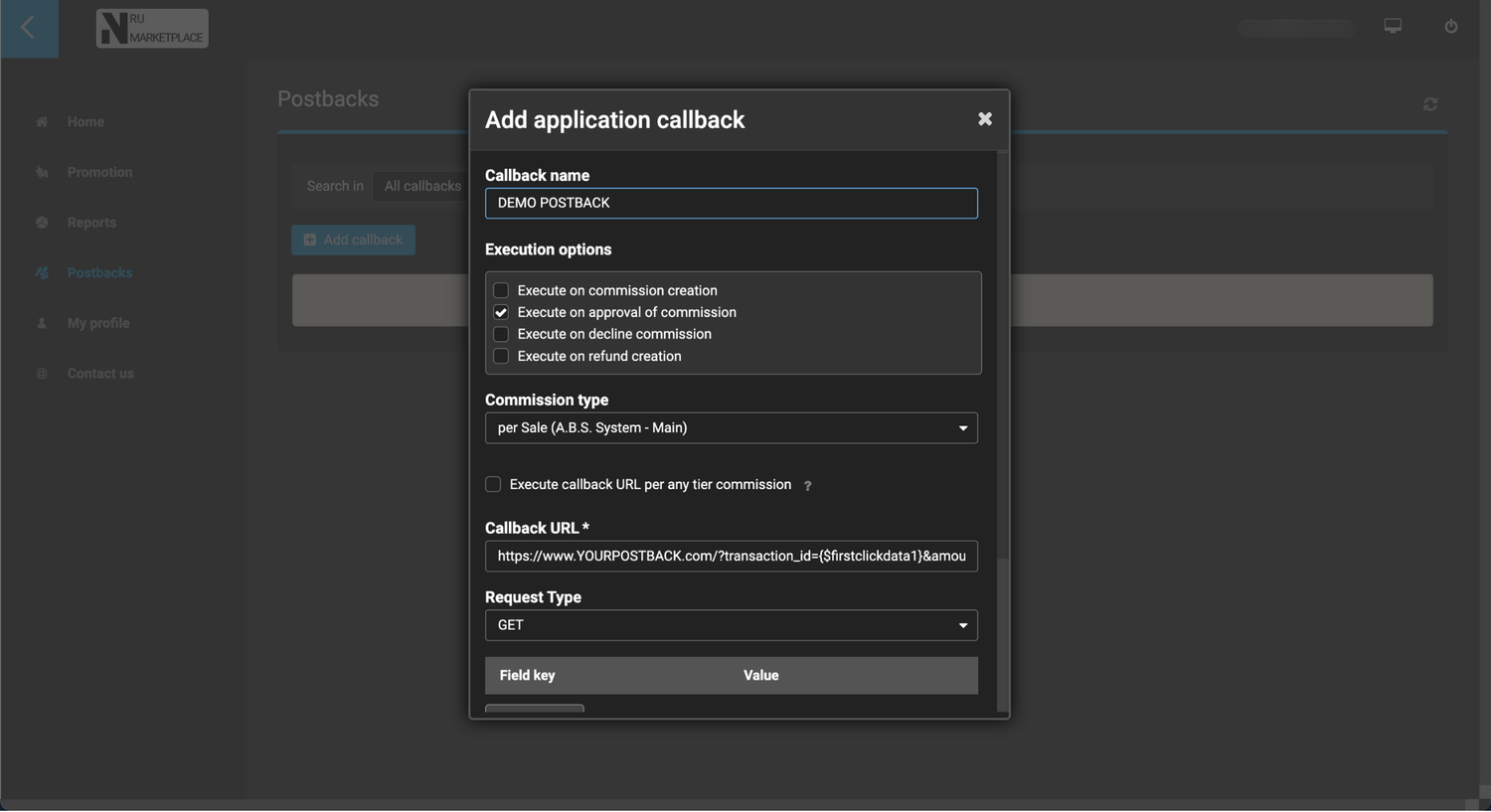
If you need to receive postbacks for each sale you make, this is for you.
Execute the postback only for "Approved commissions".
In the field "Commission Type", select "per Sale (CAMPAIGN NAME)".
Here is an example of postback URL: https://www.YOURPOSTBACK.com/?transaction_id={$firstclickdata1}&amount={$commission}
You can add as many parameters in the URL of your postback.
Here is a breakdown:
{$commission} = Commission received
{$totalcost} = Total Amount spent by the customer
{$firstclickdata1} = subID "data1" used in the URL parameters of your promotion link
{$firstclickdata2} = subID "data2"
{$productid} = Name of the product purchased
{$campaignname} = Name of the Campaign (offer)
{$countrycode} = Country of the customer
{$saledata1} = Email of the customer for "Main" offers
{$saledata2} = Full name of the customer for "Main" offers
{$channel} = Channel name from your URL parameters